
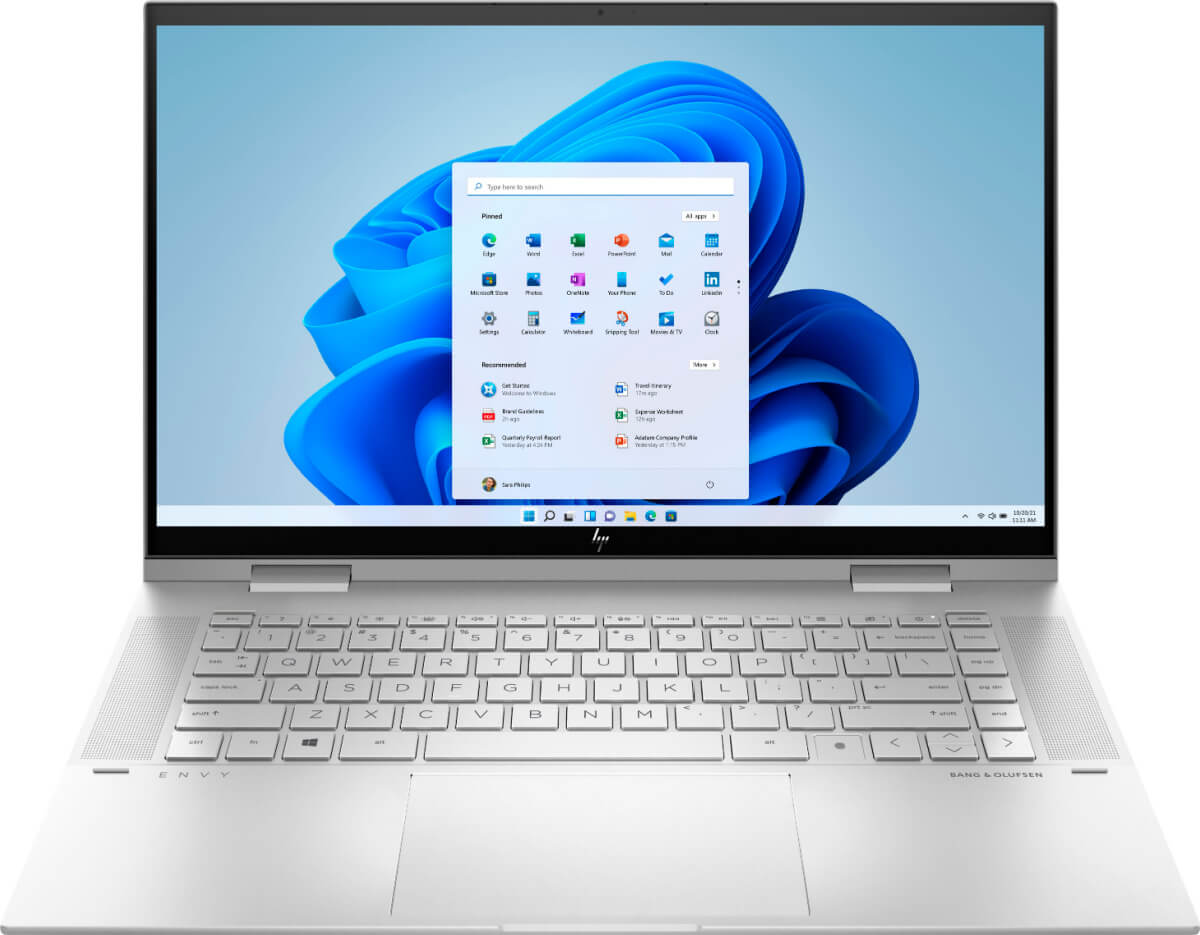
What To Look For In A Laptop
This post may contain affiliate links. If you purchase through links on my site, I may earn a commission at no cost to you. For more information, please see my disclosure policy.
I thought I’d share the features I look for when buying a laptop and the ones that matter most to me as a blogger.

Tips For Buying A New Laptop:
- First, decide what platform you want: Windows versus Mac. (I love my iPad, but I tend to go with PCs for laptops.) Mac laptops are pricey.
- Decide if you want a regular laptop or a 2-in-1
- Figure out what size laptop you’ll be most comfortable with
- Check out the keyboard and touchpad layout
- Do you want a backlit laptop? (I did)
- How many USB ports do you need or want?
RAM & Gigabytes:
- What is RAM? Random-access memory (RAM) is a hardware component that is used to store temporary data. RAM allows your computer to perform many of its everyday tasks, such as loading applications or browsing the internet.
- How Many Gigabytes Do You Need? A minimum of 2 gigabytes (GB) is required for basic computing. And 12GB or more is recommended if you’re into graphics and advanced photo or video editing.
How Much Battery Life Do You Need?
I keep my laptop plugged in and use it primarily in my easy chair, so I don’t worry about battery life.
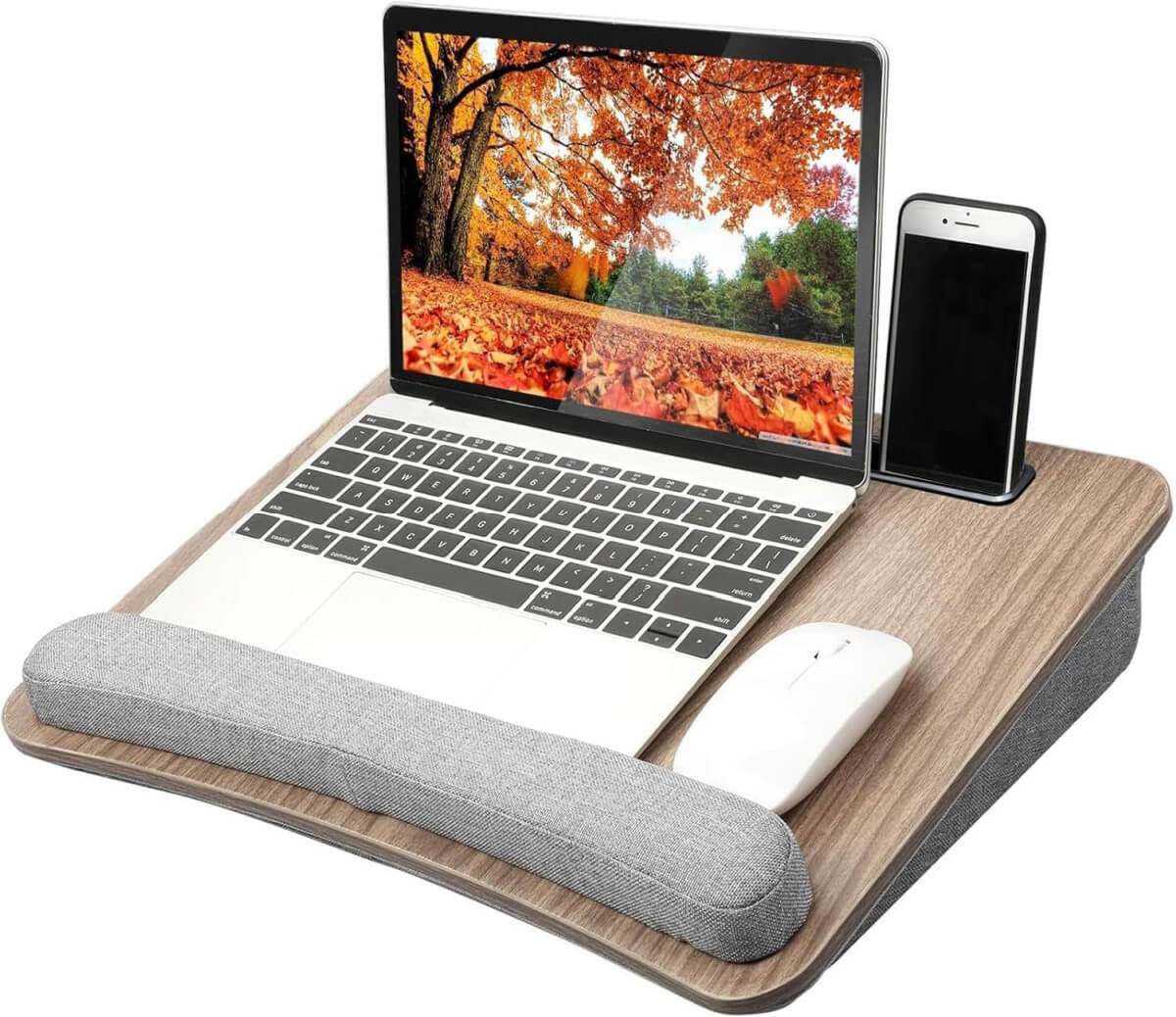
Portable Desk
To be more comfortable, I have a portable desk I set in my lap. I don’t think I could work in that chair without this little desk. It keeps the laptop level and in place.
It also has a spot for your cellphone. And the cushion sure helps my wrists and hands from getting tired.
But if you’re planning to be on the move, you’d better research what others are saying about the battery life.
Do your research and read reviews from multiple sources. I find that it pays to spend time seeing what other consumers are saying.
Photo Storage:
A laptop is one of the biggest technology investments you’ll make, whether you’re working from home, blogging, attending school, or simply browsing the internet. With so many brands and specifications available, choosing the right one can feel overwhelming.
The good news is that you don’t need the most expensive model—just one that fits your lifestyle and daily needs.
What to Look for in a Laptop
Buying a new laptop can be exciting, but it can also be confusing when you’re faced with unfamiliar terms like RAM, SSD, processors, and graphics cards.
Understanding what these features actually do will help you spend your money wisely and avoid paying for features you’ll never use.
This guide explains the most important things to consider before buying your next laptop.
Determine How You’ll Use Your Laptop
Before comparing brands, think about how you’ll use your computer.
Common uses include:
- Writing and blogging
- Web browsing
- Watching movies and streaming
- Online shopping
- Video calls
- Photo editing
- Graphic design
- Gaming
- Running a small business
- Online classes
The more demanding your tasks are, the more powerful your laptop should be.
Choose the Right Operating System
The operating system determines how your laptop works.
Windows
Windows laptops offer the widest variety of models and price points. They’re excellent for work, school, blogging, and general home use.
macOS
MacBooks are known for their sleek design, long lifespan, and smooth performance. They’re especially popular with creative professionals who edit photos, videos, or music.
ChromeOS
Chromebooks are affordable, lightweight, and ideal if you mostly use web-based applications, email, and cloud storage.
Pay Attention to the Processor (CPU)
The processor is essentially the brain of your laptop.
For everyday tasks like email, browsing, blogging, and streaming, a mid-range processor works perfectly.
If you edit videos, work with large design files, or multitask heavily, look for a newer, faster processor with multiple cores.
Get Enough RAM
RAM affects how smoothly your computer runs when multiple programs are open.
General recommendations:
- 8 GB – Good for everyday use
- 16 GB – Ideal for most people, including bloggers, students, and professionals
- 32 GB or more – Best for heavy editing, programming, and gaming
Buying enough RAM now can help your laptop stay useful for several years.
Choose an SSD Instead of a Traditional Hard Drive
Solid State Drives (SSD) are much faster than older hard disk drives.
Benefits include:
- Faster startup times
- Quicker file transfers
- Better overall performance
- Less noise
- Greater durability
Most modern laptops now include SSD storage.
Storage Size Recommendations
- 256 GB – Light users
- 512 GB – Great balance for most users
- 1 TB or more – Ideal if you store lots of photos, videos, or large files
Cloud storage can also help free up space.
Consider Battery Life
If you travel frequently or work away from home, battery life matters.
Look for laptops that offer at least 8–10 hours of real-world battery life. Keep in mind that manufacturers often advertise battery life under ideal conditions, so actual usage may be lower.
Screen Size Matters
Think about portability versus workspace.
13–14 inches
- Lightweight
- Easy to carry
- Great for travel
15–16 inches
- Comfortable for everyday work
- Larger keyboard
- Easier multitasking
17 inches
- Best for home offices
- Excellent for video editing and gaming
- Less portable
Display Quality
A high-quality display makes daily use much more enjoyable.
Look for:
- Full HD (1920 × 1080) resolution or higher
- IPS panels for better viewing angles
- Anti-glare screens if you work near windows
- Bright displays if you often work outdoors
Keyboard and Touchpad
You’ll use these every day, so comfort matters.
A good keyboard should have:
- Comfortable key spacing
- Good key travel
- Backlighting for nighttime use
- Responsive typing
A smooth, accurate touchpad can also improve your overall experience.
Ports and Connectivity
Check that the laptop has the connections you’ll need.
Common ports include:
- USB-A
- USB-C
- HDMI
- Headphone jack
- SD card reader
Also make sure it supports the latest Wi-Fi standards and Bluetooth for better wireless performance.
Webcam and Microphone
If you attend virtual meetings or make video calls, don’t overlook camera quality.
Many newer laptops include improved webcams and built-in microphones with noise reduction, making online conversations clearer.
Weight and Portability
If you’ll carry your laptop daily, every pound matters.
Ultralight laptops are ideal for commuters, students, and travelers, while heavier models often offer larger screens and additional features.
Build Quality
A well-built laptop can last many years.
Look for:
- Durable hinges
- Solid construction
- Minimal flex in the keyboard
- Good customer reviews for reliability
Sometimes spending a little more upfront means fewer repairs later.
Graphics
Most people don’t need a dedicated graphics card.
Integrated graphics are perfectly capable of handling:
- Web browsing
- Office work
- Streaming
- Blogging
- Light photo editing
Dedicated graphics are mainly beneficial for:
- Gaming
- Video editing
- 3D design
- Animation
Consider Future Needs
A laptop is typically a long-term purchase.
Think about what you’ll be doing two or three years from now rather than only today’s needs. Buying slightly more memory or storage now may help your laptop stay useful much longer.
Set a Realistic Budget
Excellent laptops are available across many price ranges.
In general:
- Budget models are suitable for browsing, email, and schoolwork.
- Mid-range laptops offer the best value for most users.
- Premium models provide faster performance, higher-quality displays, and longer-lasting construction.
Rather than chasing the lowest price, look for the best combination of performance, reliability, and features within your budget.
Choosing a laptop doesn’t have to be intimidating. By focusing on how you’ll actually use it, you’ll avoid paying for unnecessary features while ensuring you have enough power for everyday tasks.
Whether you’re blogging, managing your home, working remotely, taking online classes, or simply staying connected with family and friends, the right laptop should feel fast, reliable, and comfortable to use every day.
Taking the time to compare specifications and read reviews before purchasing can help you find a computer that will serve you well for years to come.
As you know, I always read the reviews. I want to know other people’s feedback about a product before I purchase it. The reviews I read on various websites are a contributing factor to whether I will buy it myself.




Enjoy your new laptop, Brenda! I got a new one about a year ago, mostly because I needed more storage space with so many photos. Hopefully I won’t need another for several years!
I can’t believe your last laptop only lasted three years! I’ve had my Asus Zenbook for six years now. And I use it constantly and it has thousands of photos stored on it. However, the tracking pad/scroll button is a little off and I use this laptop so much, that most of the letters on the keyboard are worn off! Good thing I’ve been typing since I was 12 years old and know where all the letters are without looking. 😉
I’ve been looking for a new laptop for over a year, but I have a hard time with these kinds of decisions. Like you, I want a GOOD laptop that lasts for years – and they’re expensive. So like with any expensive purchase, I tend to be ultra-careful to make sure I’m getting exactly the right thing.
One of the most important things to me in a laptop besides storage space, is that it have a Solid State Drive, or SSD. A hard disk drive uses a spinning platter mechanism and an arm that movies across the platter…a solid disk drive doesn’t have to use any mechanics, so it delivers much faster load time. It also makes the laptop a lot lighter – something that’s also important to me.
As far as keeping your laptop plugged in, not a good idea. Once it hits 100% charged, unplug it and use the battery until you have to plug it in again. You will get much longer battery life this way.
Every time I did this with a laptop: unplug it when it’s charged, the part that fits into the side of the computer wouldn’t stay in after 2 years for each computer. So they told me at the store to just leave it in. At least I don’t have that part breaking down so fast. I pretty much wear my laptops out.
I bought the same laptop a couple weeks ago and so far I love it. This is my first one ever. Good luck with yours.
Wow, just wow! Yesterday I was having fits because my laptop was acting up and then as I tried to fix it trying multiple different approaches, just stopped working. I couldn’t figure out what was going on with it. I got so frustrated I actually shut it down and pulled out a really old Toshiba laptop that I’ve kept for years that has the old Windows Vista OS on it! It took a little finagling to get it fired up but it did eventually. I was going to order a new computer from Best Buy and have it delivered as I don’t drive. I’ve only had my current laptop for about 2 years, and this made me really mad, like sputtering mad! So, I hunted down some information on what could be causing the issues with the “new” laptop. After a lot more finagling and frustration with it, I managed to get the thing running again, and she is behaving a little better today. But for how long – that’s the question. It makes me so angry, this deliberately built in obsolescence, and then you have to jump through hoops to erase data on and get rid of old computers.
Very useful guide! Thanks for summing it all up for us. I like the 2 in 1 feature a lot.
Merry week before Christmas!